SharePoint components - business process without development, InfoPath, SharePoint Designer or workflows. SharePoint Services, SharePoint Foundation & SharePoint Server 2007-2013.

Infowise Ltd, SharePoint web parts and solutions
Skip Navigation LinksHome > Products > Product Details
Connected Field

SharePoint 2013 Ready
Create cascading master-detail relationships between lookup columns in SharePoint lists and document libraries. Filter city column values by country, it is as easy as it should be!
User Guide
User Guide
Download
Free 30-day Trial
Buy Now
Buy Now

Overview
Features
Images
Version History
Purchase
  
Collaboration
  
Business Processes
Download
Connected Field, a component of Ultimate Forms, helps you take the built-in lookup columns to a new level:
  • Unlimited number of cascading levels - you can chain together as many columns are you like, each parent can have unlimited children and each child can have its own children.
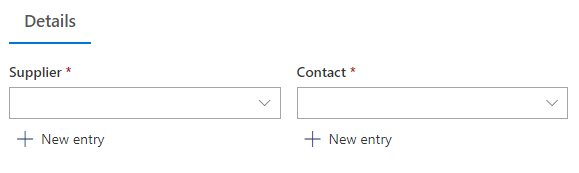
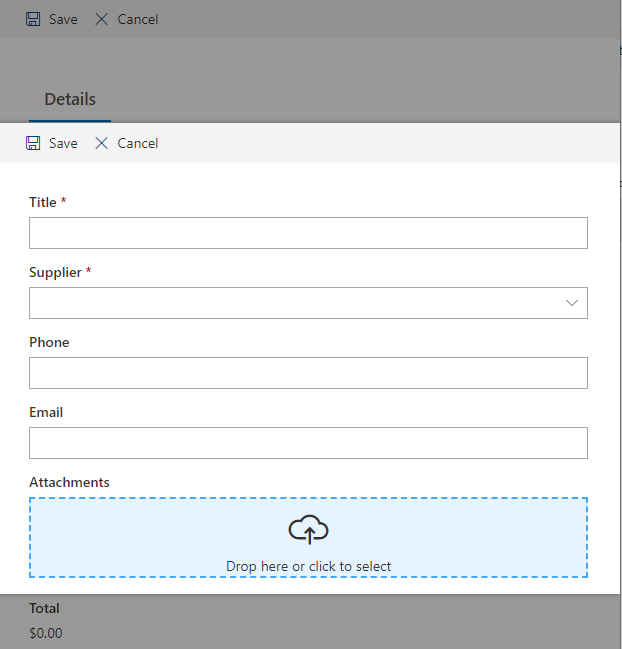
  • Missing values can be added directly, without interfering with your current task
  • Support single-to-single, single-to-multiple, multiple-to-single and multiple-to-multiple relationships
  • Looks and behaves like the built-in lookup column, no user training required
  • Operates both as a cascading lookup and as a regular lookup
  • Optional auto-complete functionality
  • Filter available values interactively and according to a pre-selected SharePoint view
  • Add addtional linked lookup columns and update their values automatically
  • Convert to and from built-in lookup columns
  • Support for site columns and content types - create the master-detail relationship at the root site and reuse it throughout your site collection.
  • New: editable in Datasheet view when used together with Smart List Pro

Preview

DescriptionClick to expand
Connected Field makes it easier for you to enter data into your SharePoint lists and document libraries. By creating relationships between columns you limit the number of possible values, preventing input errors. With advanced features like filtering and sorting by view, additional filters, in-place value entry and more, you make your system more intuitive and easier to use.

What You Can DoClick to expand
  • Create categories and subcategories for your documents across the system
  • In the middle of create an invoice and just realized you are missing the customer? Add it directly from the invoice, without going to a different list and losing your work
  • Save time and errors typing in values

Upcoming FeaturesClick to expand
    Component of Ultimate Forms
    Get tips, news and announcements
    Schedule Interactive Demo Now


    Localization

    Note: Would you like to use this product in your own language? Use our easy-to-use translation utility to help us add more supported languages. We will incorporate your translation and make it available to everyone!
    Read more here

    • Run the installation file to extract and install the product. You must be a farm administrator to accomplish this task.
    • Create a new list called Product Categories, and fill it with sample data.
    • Create a second list called Products, and add a regular lookup field to Product Categories, name it Category and fill this list with sample data.
    • Create a third list called Sales
    • Add a lookup field to Product Categories, name it Category
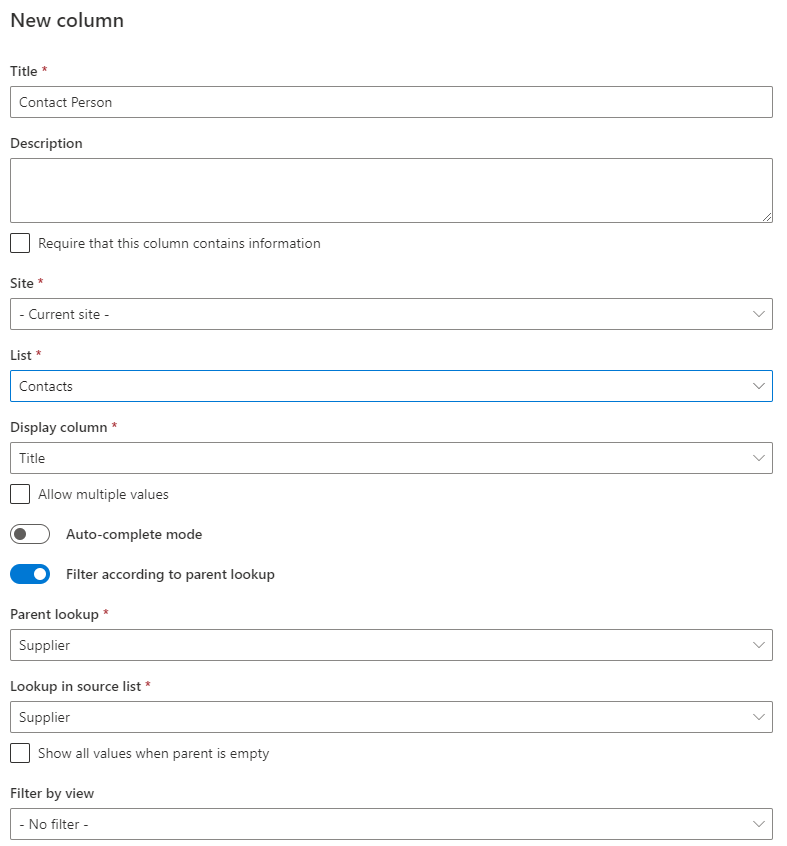
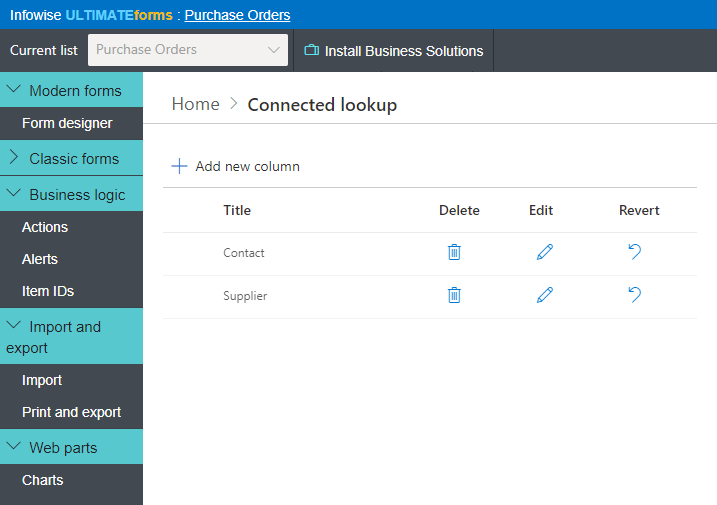
    • Add a Master-detail lookup field and define it according to the following:
      • In the lookup section define the field as a lookup to Products.
      • In the Parent Field select the Category field you (the lookup to Product Categories).
      • In Link Column choose the Category(the field that was mapped to Product Category in Products – the filtering field in the lookup list).
    • Now add a new item to the list and see that as you choose a value from Category field, the Products field will be filtered accordingly (no page refresh is needed).

    Feature Image Our Product SharePoint Native
    Complete replacement for the built-in lookup, with additional features   Included  
    Filter lookup field according to another lookup field caption  Included  
    Unlimited number of levels of cascading filtering   Included  
    Allows entering new values directly from the column caption  Included  
    Allows entering new values through a popup window caption  Included  
    Supports site columns and content types   Included  
    Supports single-single, single-multi, multi-single and multi-multi selections   Included  
    Optionally filter values by view   Included  
    Optionally sort values by view   Included  
    Convert to and from regular lookup columns caption  Included  
    Create and manage additional columns from the source list   Included  
    Limit available values by one or more additional filter   Included  
    Supports English, German, French, Spanish and Russian   Included  

    Note: unless specifically stated otherwise, all products require only Windows SharePoint Services 3.0 or SharePoint Foundation 4.0/5.0. Microsoft Office SharePoint Server 2007 (MOSS 2007) and SharePoint Server 2010/2013 are supported, but not required. All of our products must be installed as farm solutions.

      First Previous   Next Last
    Image  of   
    associatedItems.pngconnectedFields.pngconvertfromregular.pngentry.pngentryPopup.pngpicker.gifsettings.gif
    RSS

    Want to get notified when new versions come out?
    Subscribe to our RSS feed now!

    Version Release Date Changes
    2.12.5 17-Apr-2013
  • Fix XSLT list forms
  • 2.12.4 26-Mar-2013
  • Fix for site columns
  • 2.12.3 07-Mar-2013
  • Fix for 2.12.1
  • 2.12.2 05-Mar-2013
  • Improved hanlding of unique permissions
  • 2.12.1 22-Feb-2013
  • Full cross-browser support for auto-complete mode
  • 2.12.0 15-Feb-2013
  • Full ribbon in pop-up in 2010/2013
  • 2.11.14 05-Jan-2013
  • Fix for version 2.11.13
  • 2.11.13 03-Jan-2013
  • Improved compatibility with IE10
  • Most Recent Newer Older 

    Want to try before you buy? Just download the 30-day full-featured trial version! You can even turn it into a registered version by simply entering a license key.

      Download

    Every server running Windows SharePoint Services Web Application requires a license, regardless whether or not it is accessed by users. Free licenses for application servers will be provided upon request.

    License TypeDescriptionPriceBuy
    Server License with Annual SupportFront-end server license with a technical support plan599 US$
    Server LicenseFront-end server license449 US$
    Developer LicenseAt least one full-priced server license is required139 US$
    Annual Support RenewalTechnical support plan for a year129 US$
    License Types
    • Server License with Annual Support - entitles you to the right of installing the product on one front-end server, including the right to contact us on non-bug related issues within the period of one year, you may also upgrade to any future major/minor version. This could be help with installation, integration or customizations. Bug fixes are included with any license free of charge.
    • Server License - entitles you to the right of installing the product on one front-end server. Front-end server is one responding to user requests (web server). This license is not time-limited, but you are not entitled to new major/minor versions, except for explicit bug fixes and minor revisions.
    • Developer License - entitles you to the right of installing the product on one front-end server in non-production environment. You can use this license for your test/integration/pre-production farms. Note that you must order at least one full server license to have the right to order a developer license.
    • Annual Support Renewal - extends the annual support to another year. You must order the original product with annual support to be eligible for this renewal.

    Please contact us for additional licensing plans, including volume discounts.


    Copyright © 2005-2013 Infowise Solutions Ltd. All rights reserved. Microsoft, SharePoint, WSS and MOSS are trademarks of the Microsoft Corporation.